
Functionality and Structure of a Capacitive Touch System
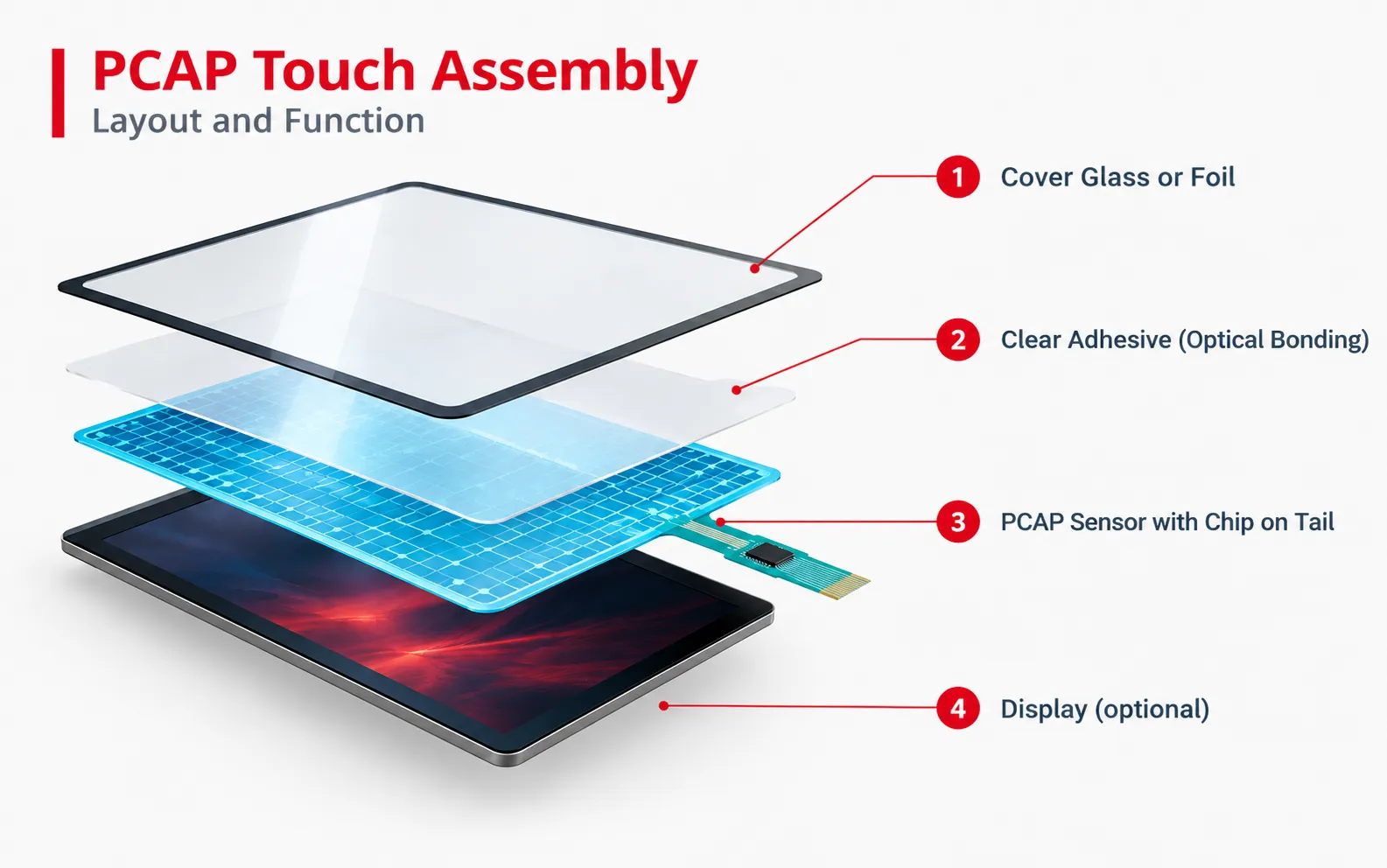
The most commonly used touch technology is PCAP (Projective Capacitive Touch). The touchscreen responds to touch without mechanical pressure. The transparent touch sensor builds up an electromagnetic field that is changed by operation with a finger. A controller detects this change in charge, calculates the point of touch, and triggers the desired function.
User Interface: The surface made of polyester foil or glass is completely closed and can be individually screen-printed.
Adhesive Layer: The cover is connected to the touch sensor via an adhesive frame or a highly transparent, full-surface bond using the LOCA or OCA bonding process.
Touch Sensor: Multi-touch PCAP made of two conductive layers (usually ITO), which responds to touch and is ideal for industrial use.
Controller: The intelligence of the touchscreen is located directly on the PCAP’s connection tail (chip-on-tail) or on a separate PCB.
Your capacitive touch system. Your scope of performance.
From a simple PCAP touchscreen to an integrated HMI solution:
You determine which functions and components your application requires.
We combine the right technologies and, upon request, also handle the integration
1. The Basis of Your Capacitive Touch System
-
Cover Glass or Foil
Glass or polyester foil with individual thicknesses, properties, or finishes
-
Touch Sensor
Standard or individual PCAP with 10-finger multi-touch
-
Controller
Directly on the touch sensor’s connection tail (chip-on-tail) or on a separate PCB
2. Expand Your Capacitive Touch System
Display
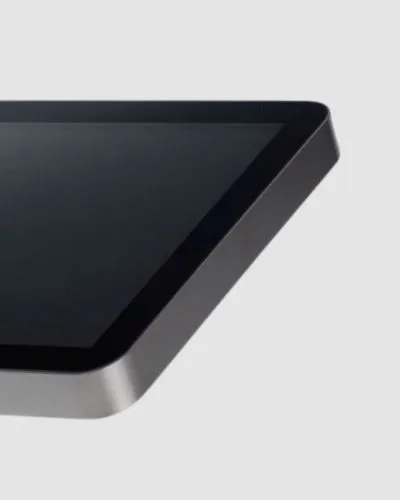
When selecting the right display, environmental conditions such as temperature ranges, outdoor use, or operating times are decisive criteria. Longevity and, above all, long-term availability also play an important role. Both standard and customized TFT displays (TN or IPS) as well as OLED displays are used for a capacitive touch system.
Keys + Switches
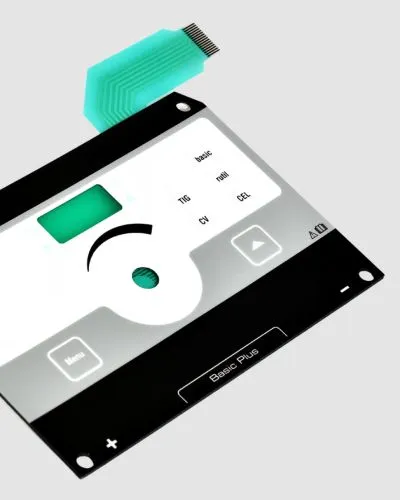
For additional tactile feedback, a capacitive touch display can be combined with a membrane switch, capacitive keys, or other switches. This helps avoid operating errors and ensures that safety-relevant commands are executed reliably.
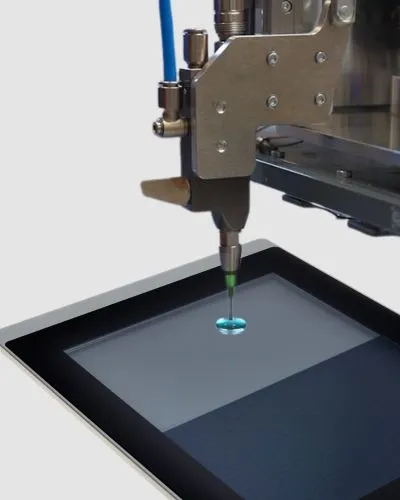
Optical bonding
For a brilliant image without distracting reflections, the touchscreen is often bonded to the display and/or cover glass using the optical bonding process. Depending on customer requirements and the area of application, LOCA or OCA bonding can be used.
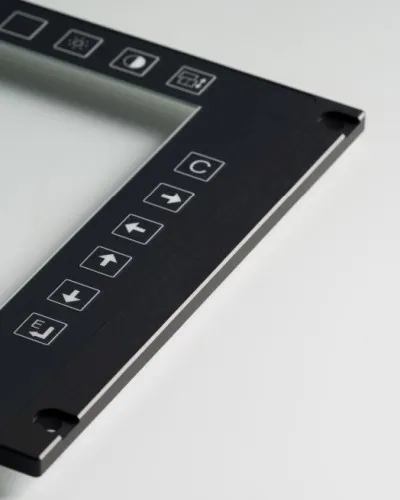
Housing + carrier
For optimal mounting in the customer application, the touch system can be integrated directly into a carrier plate or a housing. These provide the HMI with more stability and simplify installation. For increased requirements according to IP protection classes, additional seals in the housing or carrier part ensure resistant HMIs.
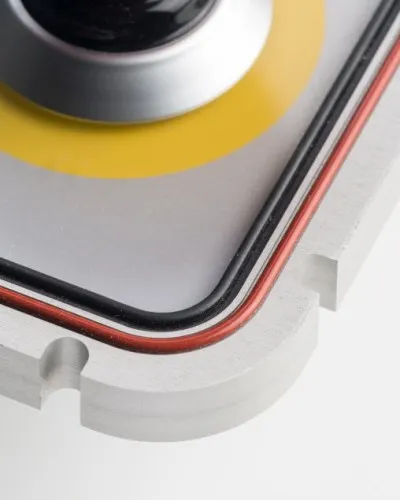
Seals
The capacitive touch system is protected against external influences with individual sealing contours. A wide variety of sealing materials and colors can be used.
3. Complete solution tailored to your requirements
You receive a 360° worry-free package: one solution, one point of contact!
We take care of the time-consuming coordination of many individual components and services for you.
You define the scope!
Operating unit
Buttons, touch, printed electronics, or a combination of multiple technologies.
Housing
Standard housing or a custom housing solution made of plastic or metal
Electronics
Custom-populated PCBs and LED technology for button backlighting.
Software
Intelligent user guidance or protocols for smooth data transmission
Connectivity
Custom interfaces and IoT connectivity for value-added HMIs
Design + Development
Quality + Sustainability
Typical areas of application for capacitive
touch systems
Medical Technology:
Closed and disinfectable touch surfaces for operation with thin gloves
High-End Mechanical Engineering:
Control panels with multi-touch functions for extensive machine configurations
Mobility:
Touch displays for infotainment systems in vehicles or additional functions in special-purpose vehicles
Semiconductor Industry:
Hygienic, intuitive touch panels for cleanroom conditions
AI-generated Illustration FAQ: Frequently asked questions about capacitive keyboards
The operability of capacitive sensors with gloves depends on the material and thickness of the gloves. Conductive gloves or
increased sensor sensitivity are often required. Moisture from rain or sweat can lead to malfunctions if no
special algorithms are used. Modern systems use moisture compensation and adaptive sensitivity adjustment
to ensure stable function even under such conditions. This is particularly relevant for outdoor and medical applications.
Yes, capacitive keys can be integrated behind robust materials such as glass or plastic. This creates a closed,
Wear-free and resistant surface against dirt, moisture and cleaning agents.
Design, colors, lighting, symbols, and even the operating feel can be individually tailored to the area of application. A
Glass surfaces can also be optically enhanced with cuts for finger recesses, polishing or etching, for example.
Capacitive keys are designed for clearly defined switching functions and replace classic mechanical pushbuttons. They react to
touch but have fixed operating points. A touchscreen, on the other hand, is a dynamic input surface on which content is displayed and
different functions can be represented flexibly. Capacitive keys are particularly suitable for robust, durable
Operating concepts with clear user guidance, while touchscreens offer more interaction options
capacitive or resistive – which
technology fits my project?
Capacitive touch systems are ideal when modern multi-touch operation with high image quality is the priority.
Resistive systems offer advantages when operation with thick work gloves or a more cost-effective solution is necessary.
Start your project!
New development or redesign?
We are your partner from prototype to series production.